Steps
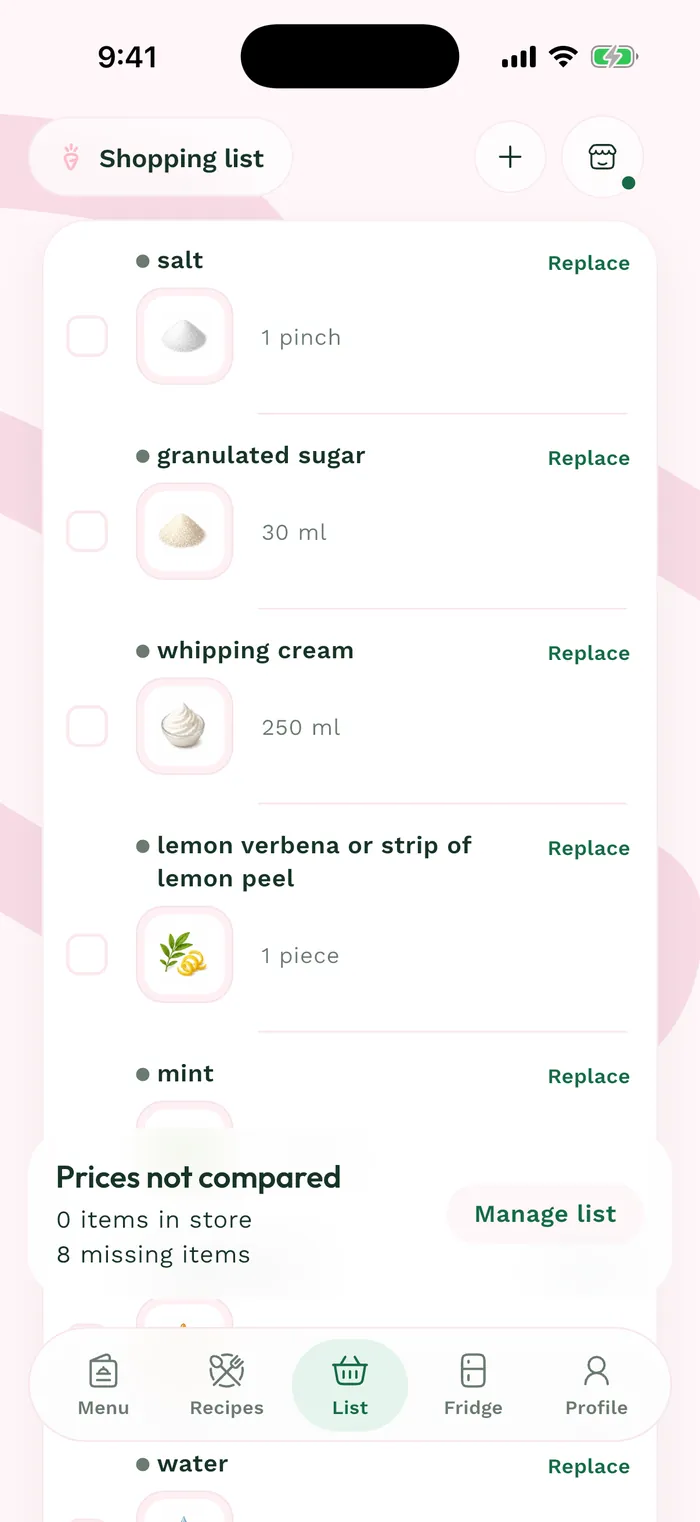
In Groceries, open a list and tap the + button at the top. Add an item starts with an ingredient search.
Enter the food's name and tap the matching result. The panel shows the selected ingredient and suggested products at your saved stores.
Choose Add ingredient only to keep it without a product or price, or tap a product under the store location where you want to shop.
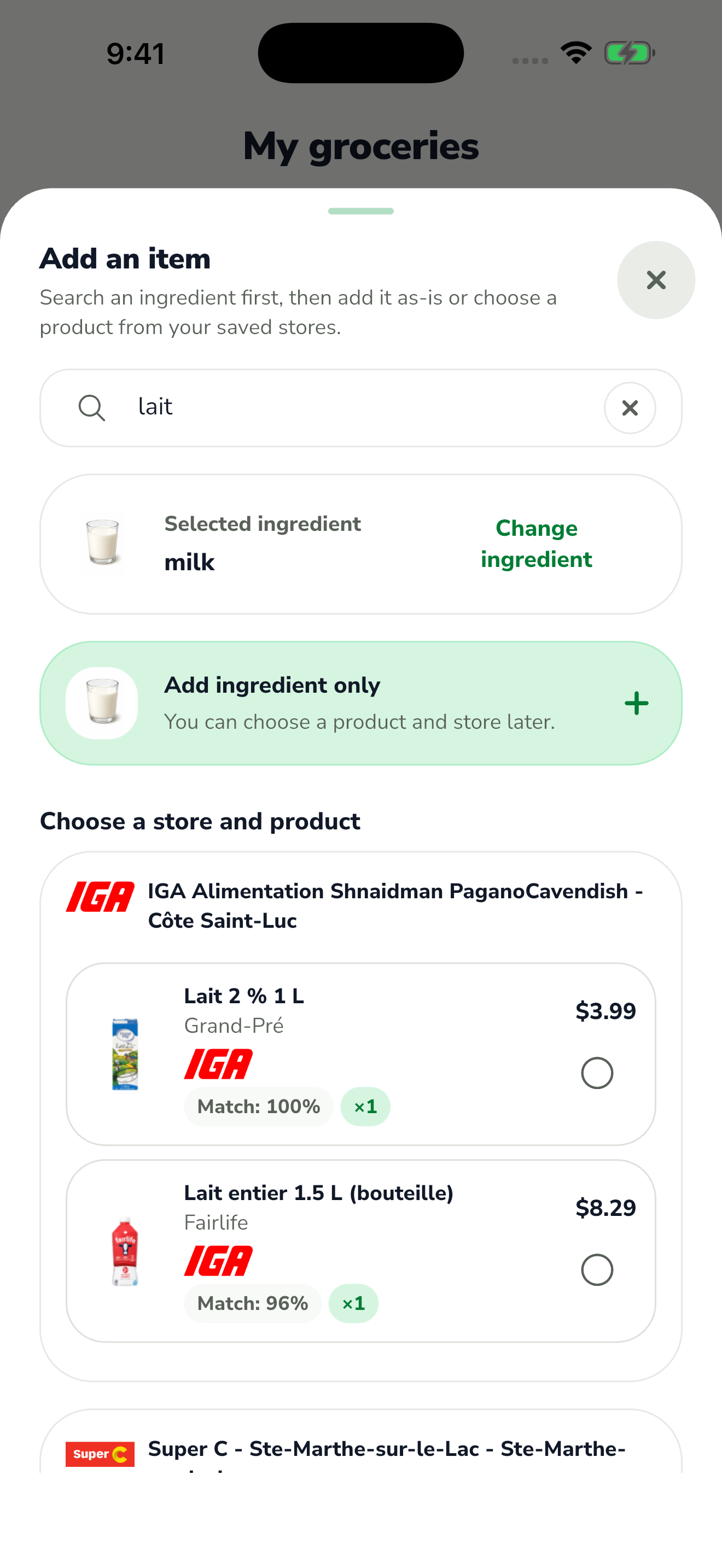
The red area shows where to tap in step 3. If you choose a product, check its package size and quantity, then tap Add. Return to the list to check the item and, when its price is known, the estimated total.