Grocery list app
A grocery list that starts with your recipes
Karro turns the ingredients in your meal plan into a grocery list you can edit and use in store.
Ingredients are grouped with their quantities. You can choose a list with matched products and observed prices, or a simple checklist without prices or a store.
Download Karro for free.
How it works
Three steps, from meal plan to cart
- 1
Open your meal plan
Open the Groceries tab in your meal plan and tap Prepare groceries. Then choose which list to fill.
- 2
Choose the list type
Match ingredients with products from your favourite store location, or keep an ingredient-only list.
- 3
Adjust it while you shop
Add an item, change a product or quantity, filter by location and check off what is already in your cart.
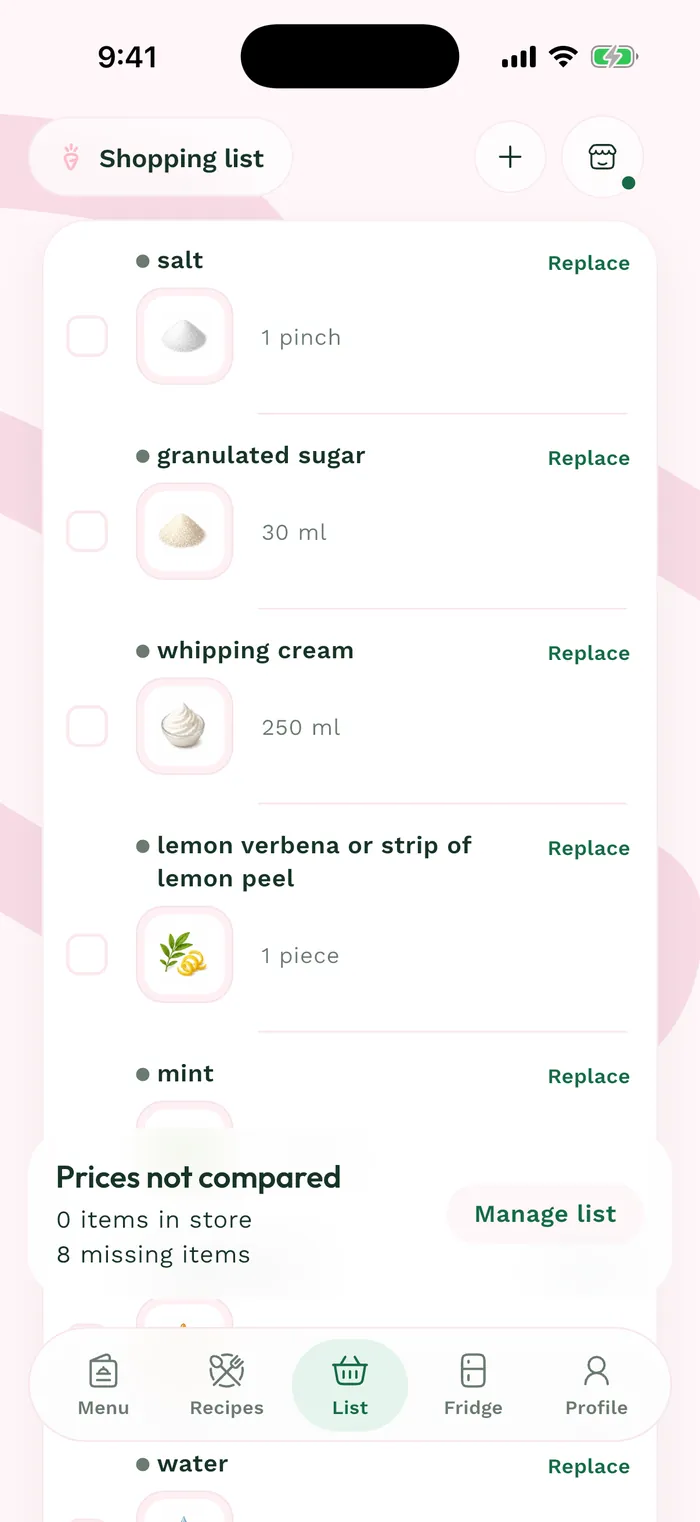
See the real interface
The real Karro list: grouped items, quantities, selected products and checkboxes.
Example: five recipes, one list
You choose five recipes for several servings. Karro combines shared needs, excludes ingredients you have listed in your fridge and opens an editable list. In store, you check off each item and completed items move to "Already in cart."
Clear limits
What the list does not claim to do
- The grocery list belongs to the user, even when it starts from a household meal plan.
- An ingredient can remain without a product or price if Karro finds no match at the selected location.
- Prices and availability may change between Karro's observation and your visit to the store.
Frequently asked questions
Useful answers before you start
Can I add an item that is not in my meal plan?
Yes. Search for an ingredient, choose a suggested product or add the ingredient only, then set the quantity.
Do I need to choose a store?
A favourite store location is required to match ingredients with products and prices. The simple ingredient list works without prices or a store.
Ready to go from meals to groceries?
Download Karro for free.
Karro: Grocery & Meal Planner
Build your meal plan and list with one favourite store location. With Karro Pro, compare the same grocery basket across up to three covered locations.
The app is distributed in Canada. Prices are available only at covered store locations, in ten Quebec cities. Check the grocery store map on karroapp.com for current coverage.