Meal planner
Your weekly meal plan, your way
Wondering what to cook this week? Karro suggests recipes based on your preferences. Adjust your meal plan, then build your grocery list from the meals you choose.
You can generate a meal plan from your preferences, replace one recipe without starting over, reorder meals and mark dishes as cooked.
Download Karro for free.
How it works
Build, adjust, then prepare
- 1
Set your needs
Choose the number of meals, servings, maximum difficulty, dietary preferences and a favourite store location.
- 2
Build, then adjust
Karro suggests recipes. Replace, remove or move one meal without rebuilding the whole plan.
- 3
Prepare the list
When the plan fits, Karro gathers the needed ingredients into an editable grocery list.
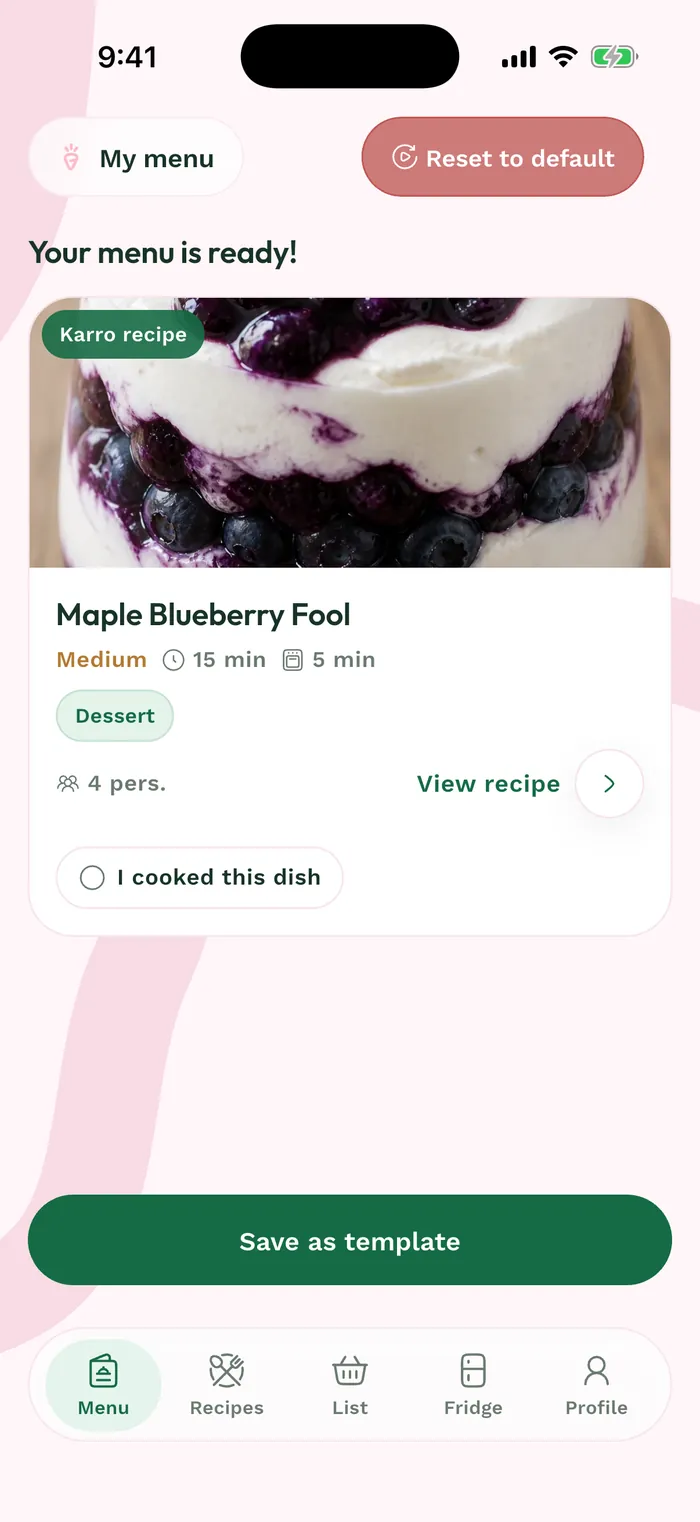
See the real interface
Karro's real Menu screen shows recipes in a flexible order, with actions for managing the plan.
Example: change one dinner
Your plan includes a recipe that no longer fits. Open that meal, choose "Replace" and select another compatible suggestion. The other recipes stay in place, then the grocery list is prepared from the updated plan.
Clear limits
A meal plan organized by day
- Recipes are assigned to the meal plan days from its start date. Karro does not assign them a specific time.
- The meal plan stays in Karro and does not automatically sync with your external calendar.
- Suggestions depend on the catalogue and saved preferences; you remain in control of replacing or removing a recipe.
Frequently asked questions
Useful answers before you start
Can I adjust servings?
Yes. Servings are part of the meal plan preferences and determine the quantities used to prepare the grocery list.
Can I change just one recipe?
Yes. You can replace one recipe without regenerating the entire meal plan.
Ready to go from meals to groceries?
Download Karro for free.
Karro: Grocery & Meal Planner
Build your meal plan and list with one favourite store location. With Karro Pro, compare the same grocery basket across up to three covered locations.
The app is distributed in Canada. Prices are available only at covered store locations, in ten Quebec cities. Check the grocery store map on karroapp.com for current coverage.