Steps
From a recipe, tap Start cooking. Cooking mode shows one instruction at a time and keeps the screen awake while you prepare the dish.
Use Next step and Previous to move forward or revisit an instruction. The badge at the top shows your position, such as Step 2 of 5.
Tap Timers to access Free timer and choose a duration. When a step suggests a duration, you can also use the timer associated with that instruction.
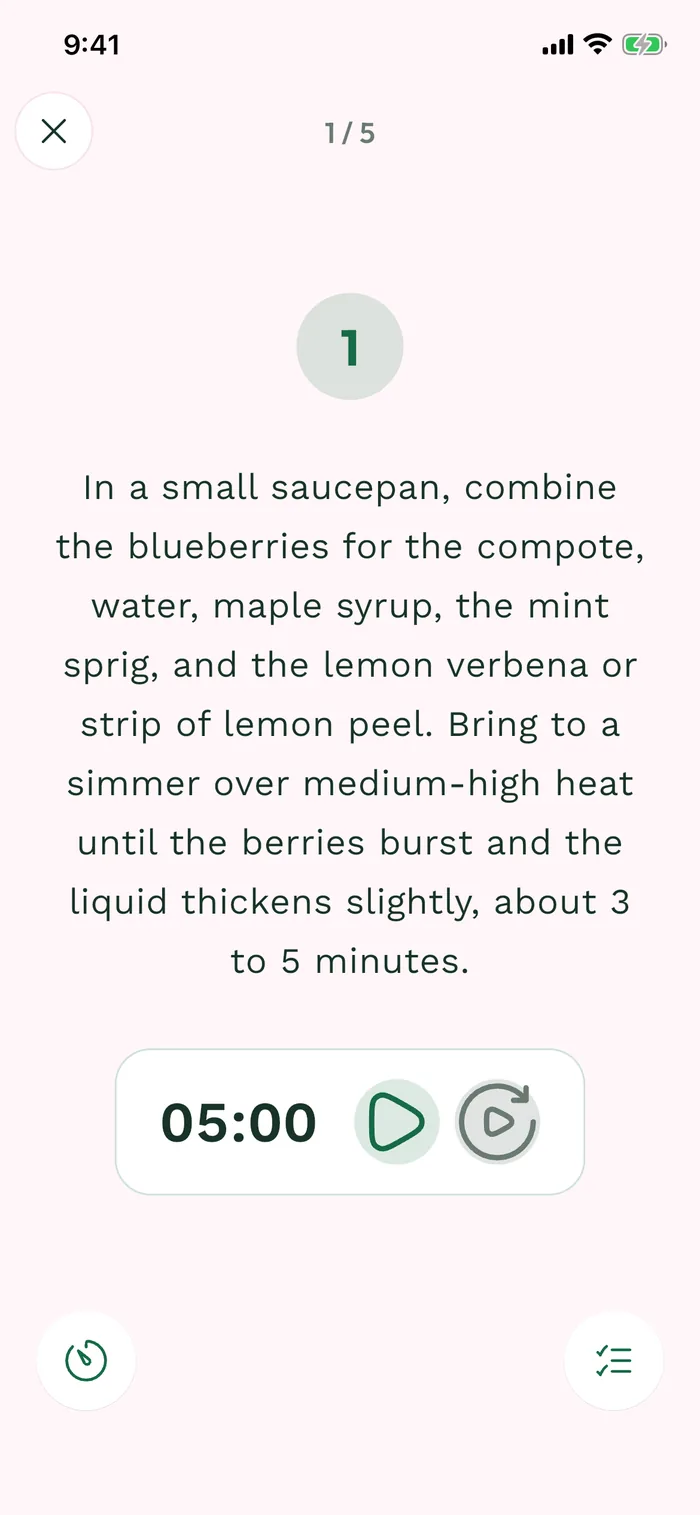
The red area shows where to tap in step 3. Tap Ingredients to check quantities without leaving preparation, then close the panel. Use the X at the top left to leave cooking mode.