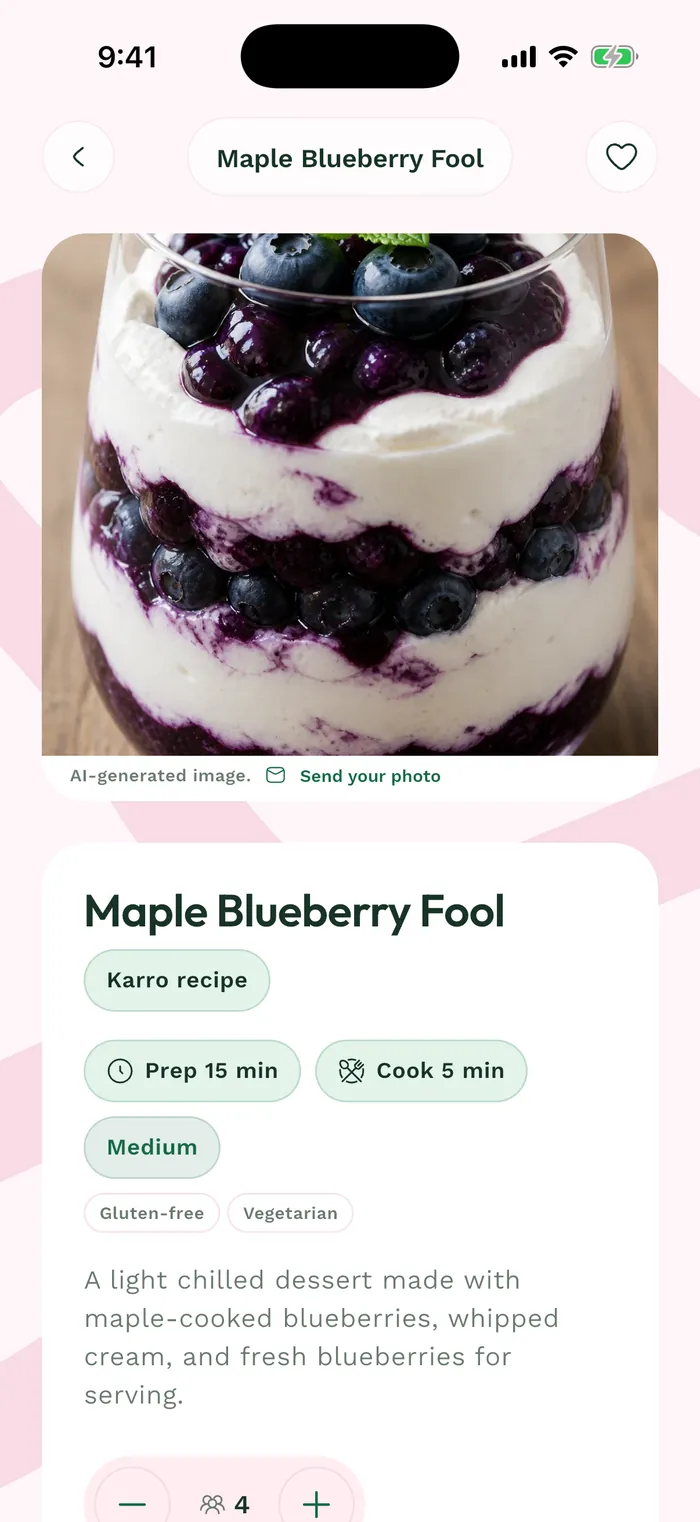
Steps
Open a recipe and find the Servings block below its description. The original serving count appears below the controls.
Use the minus and plus buttons to choose the servings you need. This is the recipe's serving count, not the number of meals in your week.
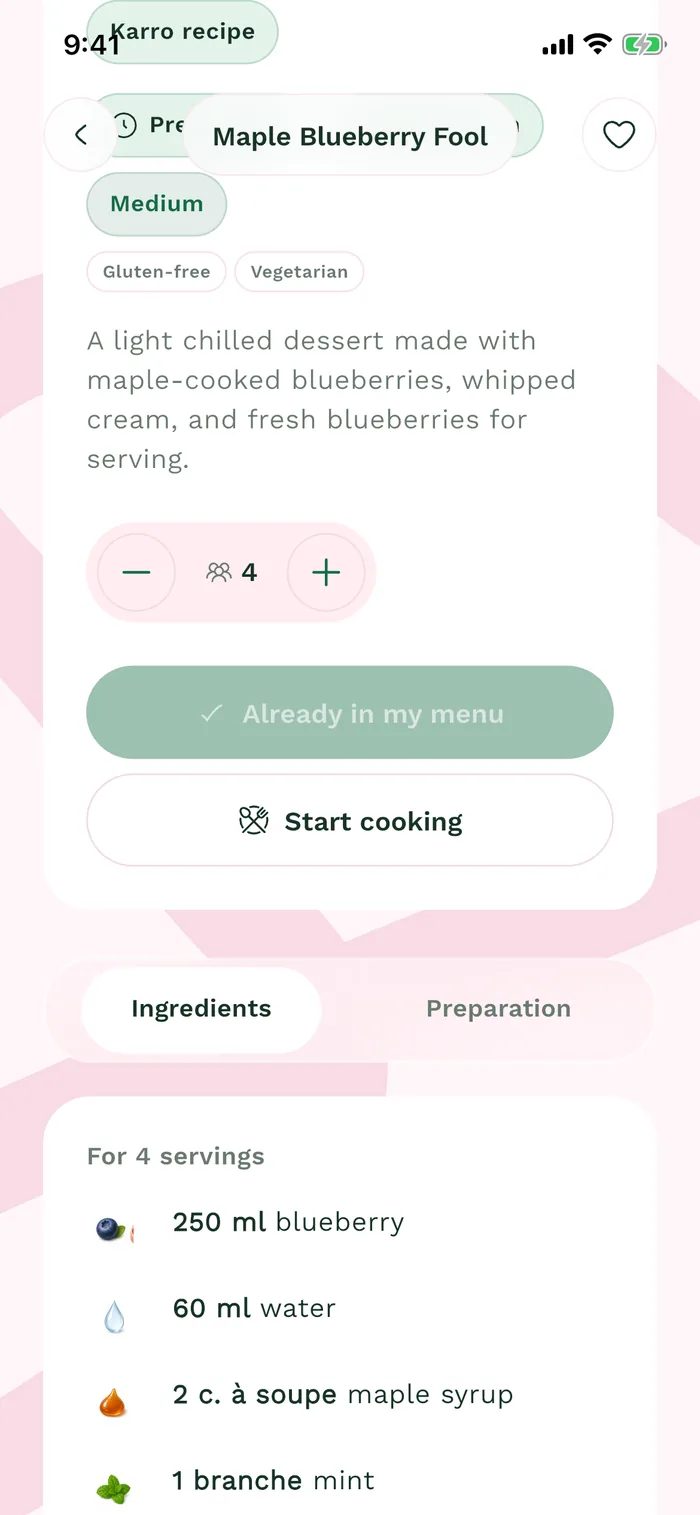
The red area shows where to tap in step 2. Check the Ingredients tab: quantities are recalculated for the displayed serving count. Review them before preparing or buying ingredients.
Tap Add to my menu to plan the recipe with these servings, then check the menu you selected.